Add unmaskd. to your home screen
No app store needed. Installs in seconds and opens like a native app.
iPhone and iPad
Safari is required — Chrome and Firefox on iOS cannot install web apps to the home screen.
- Open unmaskd.app in Safari
- Tap the Share button — the box with an arrow pointing up — at the bottom of the screen
Screenshot coming soon
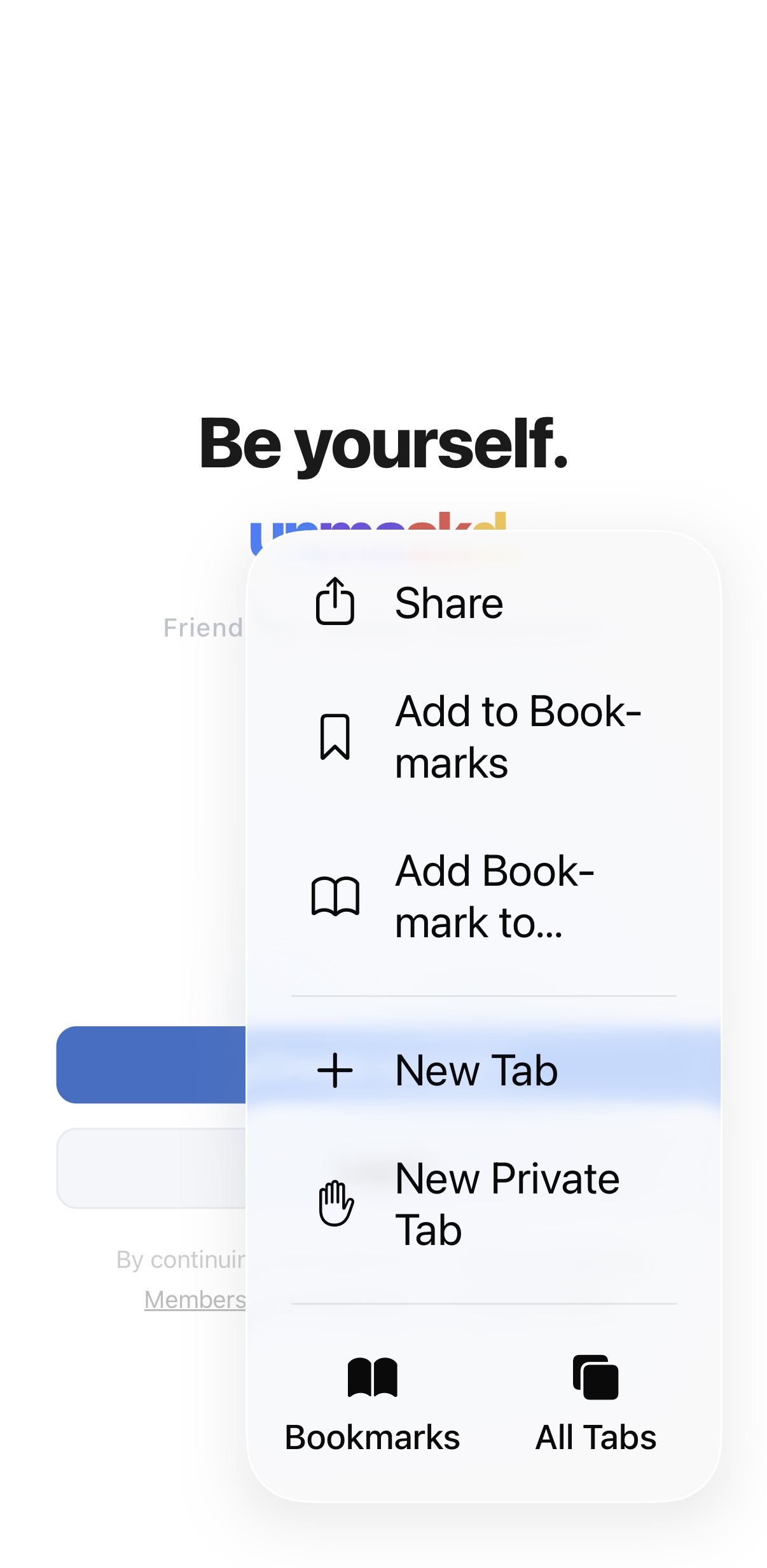
- Scroll down in the share sheet and tap Add to Home Screen
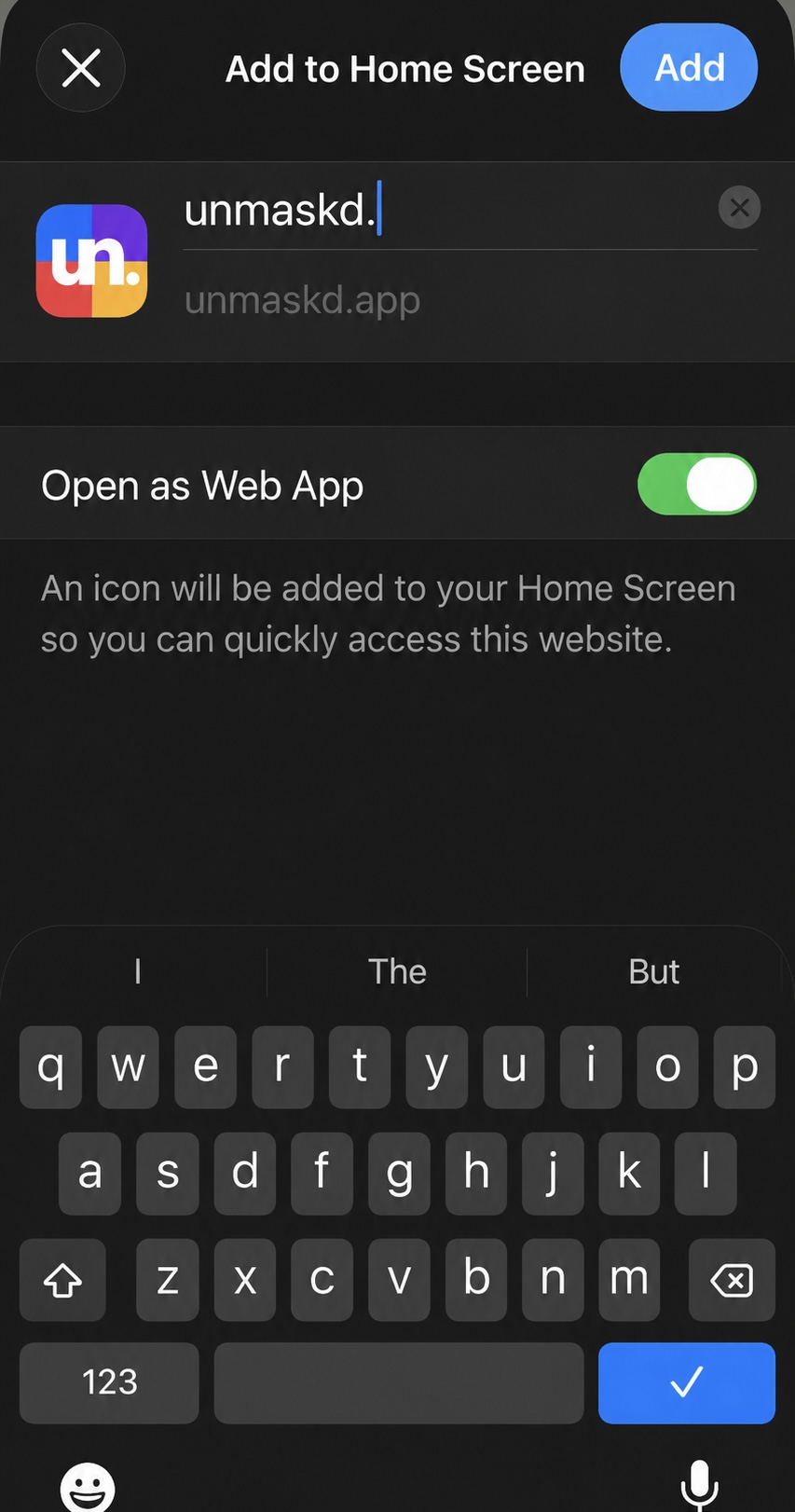
- Tap Add in the top-right corner to confirm
Screenshot coming soon
Android
- Open unmaskd.app in Chrome
- Tap the three-dot menu in the top right, then tap Add to Home screen or Install app
Screenshot coming soon

- Tap Add or Install to confirm
Screenshot coming soon

Desktop — Chrome or Edge
Firefox and Safari on macOS do not support installing web apps to the desktop.
- Open unmaskd.app in Chrome or Microsoft Edge
- Click the install icon in the address bar — a monitor with a downward arrow — or open the browser menu and choose Install unmaskd.
- Click Install in the prompt that appears
Already installed? Open unmaskd. →